
How to Cancel/Delete a Product
How to Cancel/Delete a Product
Follow these steps if you’re looking to cancel a service with In-Tuition:
1. Login to Crux.
2. Click “Manage” on the Product you wish to cancel.
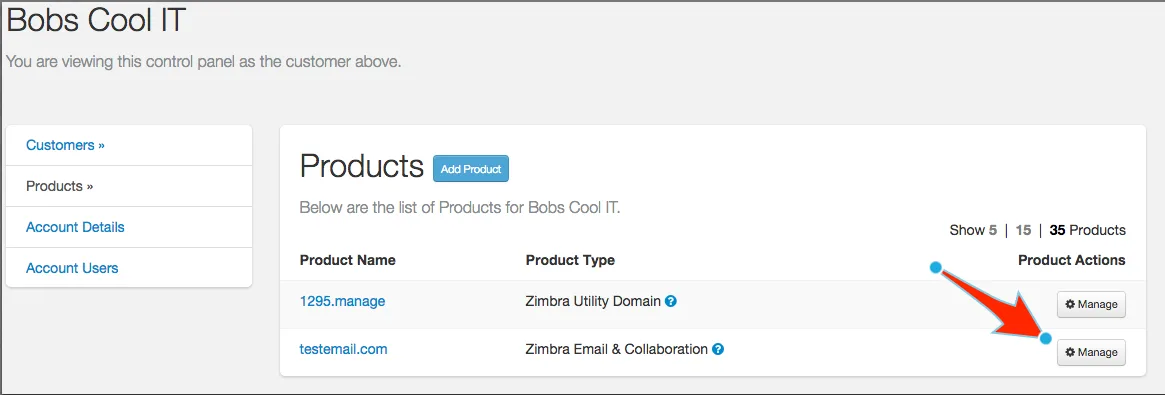
Product management in Crux
3. Navigate to “Subscriptions” and follow the instructions:
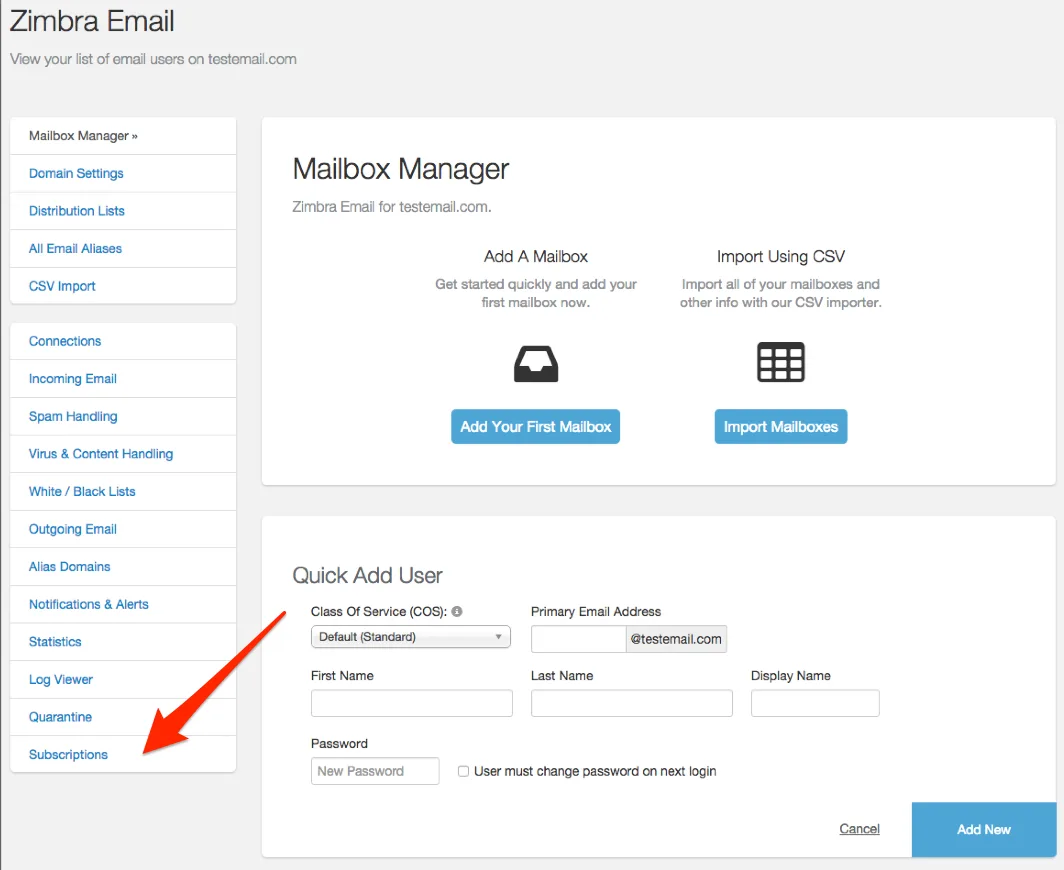
Step 1 – Cancelling a Product
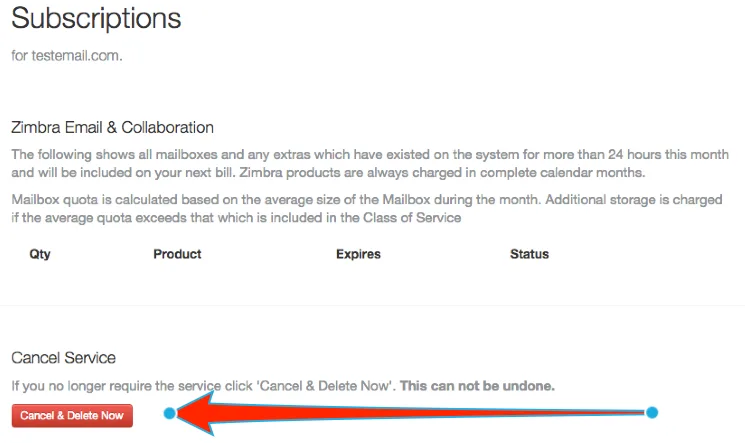
Step 2 – Cancelling a Product